 VivaKit
AI Virtual Mouse: Hand-Gesture Cursor Control
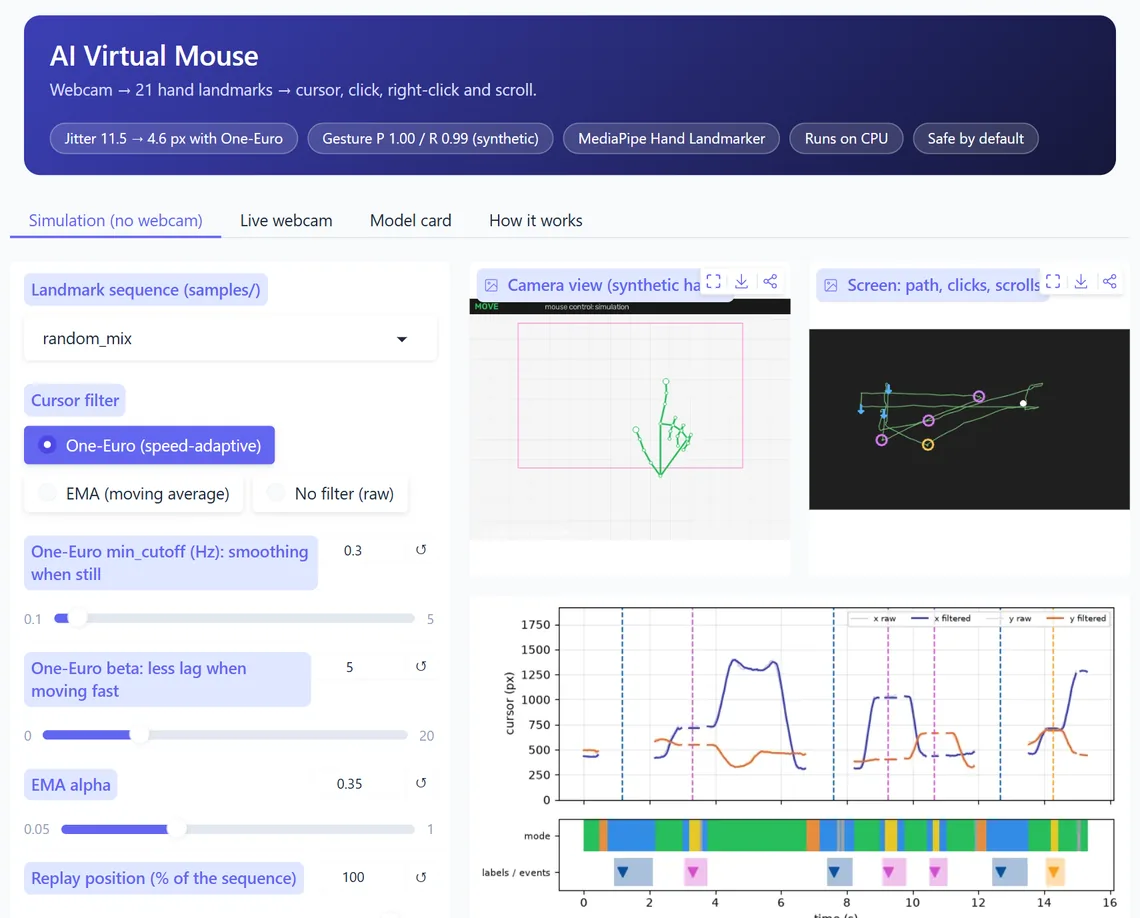
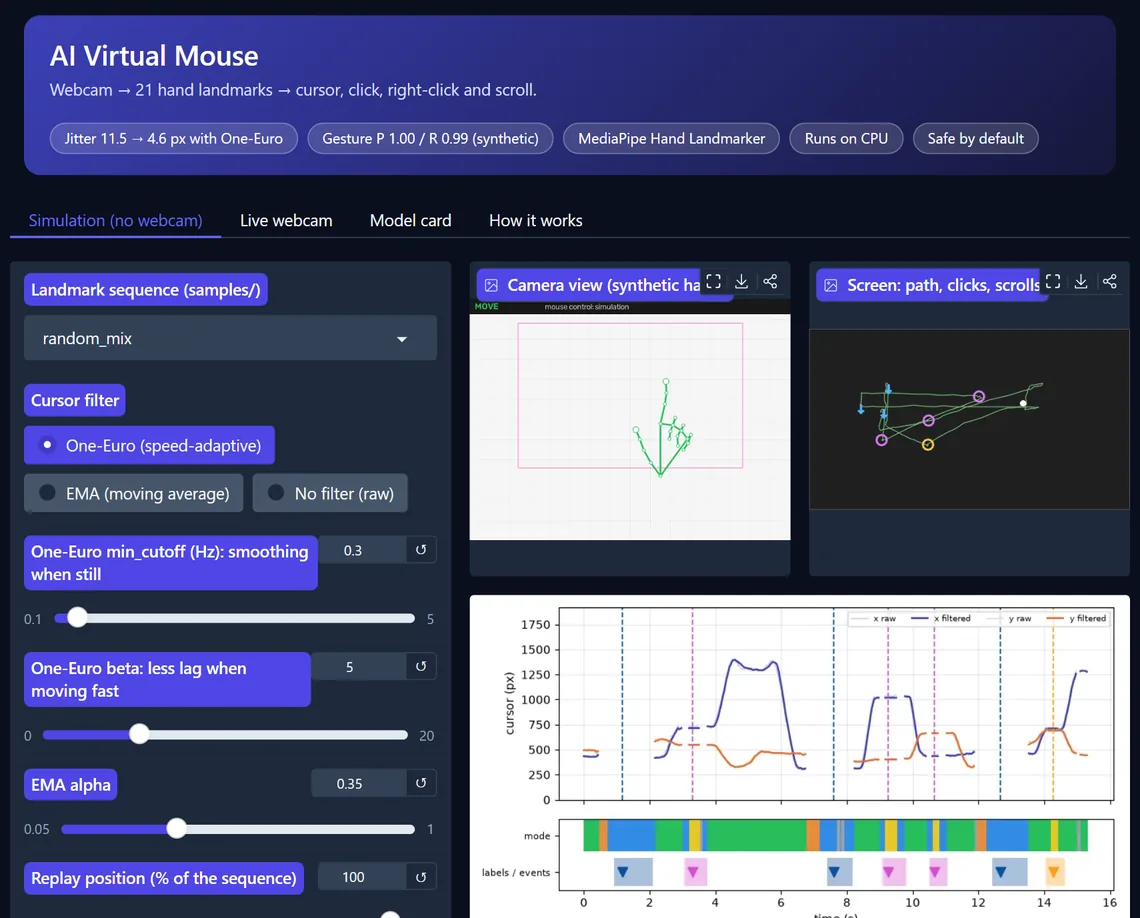
Your project moves the real cursor with your index finger, clicks when you pinch and scrolls with two fingers, with a fail-safe so it can never trap the mouse. You can show, with measured numbers, how a One-Euro filter makes the cursor calm without making it lag, and how often each gesture is caught or misfires. A simulation mode means the demo works even when the webcam does not.
Secure checkout by Dodo Payments (UPI, cards). Your personalised download link is e-mailed within 24 hours. One purchase covers one project team of up to 4 students. See terms and refunds.
Our honest results
| Cursor jitter on a 1080p screen, raw vs One-Euro filter | 11.5 vs 4.6 px |
| Lag on a fast sweep, One-Euro vs equally smooth moving average | 23 vs 110 ms |
| Gesture precision / recall - 607 synthetic gestures, moderate noise | 0.995 / 0.993 |
| Weakest gesture: right-click recall at high noise | 0.849 |
The gesture numbers come from simulated hands, not real users. The guide says so, explains why right-click is the weak spot, and shows how to record and score your own hand. Runs on a laptop CPU, so no GPU is needed.
What's included
- Readable source codeSmall, commented modules you can explain line by line in your viva.
- Demo appA local web app to show your examiners - runs offline on your laptop.
- Trained model + reference resultsSo you can compare your own runs fairly.
- Learning guide with viva Q&ABackground, design choices explained, limitations and extension ideas.
- One-click setup & testsWindows setup script and tests that prove it works on your PC.
- Dataset download scriptFetches the public data from its original source, with the citation.
Dataset credit
MediaPipe Hand Landmarker model by Google, Apache License 2.0 (model and model card), downloaded at setup, not redistributed. No dataset is used.
Academic integrity
We sell code and teaching, not finished projects. You must understand, extend and write up the work yourself, acknowledge the kit and cite the dataset. No ready-made reports.